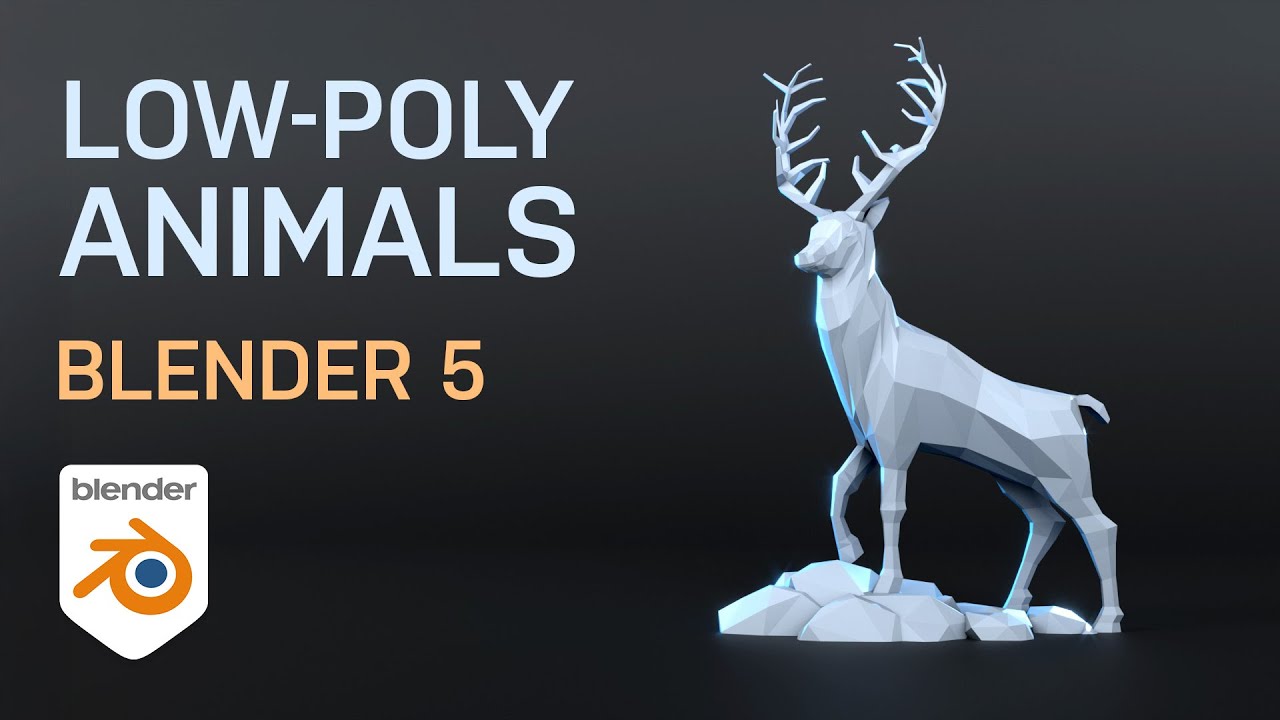
Blender 5 for Beginners: Model Any LOW POLY ANIMAL (Detailed Follow-Along Guide!)
#blender3d #gamedev #3danimation
Learn exactly how to model any low-poly animal in Blender 5 with this detailed, beginner-friendly tutorial! We go step-by-step from setting up free downloadable reference sheets to creating the basic low poly mesh, and then adding color and materials to your finished animal. This is the ultimate Blender tutorial for beginners who want to master stylized low poly modeling.
REFERENCE IMAGES https://grantabbitt.gumroad.com/l/gtetny
MY COURSES
Lop Poly Characters only $15 https://gamedev.tv/courses/blender-low-poly-characters?ref=ywqzmjc
My Complete Blender Creator single beginner's course only $15
https://www.gamedev.tv/courses/complete-blender-creator?ref=ywqzmjc
My Mega Pathway Course - build your own asset packs $60: https://www.gamedev.tv/bundles/blender-pathway?ref=ywqzmjc
SOCIALS:
Substack for Articles & Written Tutorials: https://grantabbitt.substack.com/
Gumroad For Free Beginners Booklet: https://grantabbitt.gumroad.com/
My Website: http://www.gabbitt.co.uk
Discord: https://discord.gg/uwF2fcm
Buy Me a Coffee: https://ko-fi.com/M4M21GGIWE
OTHER USEFUL YOUTUBE TUTORIALS:
Learn the basics of Blender 5: https://www.youtube.com/playlist?list=PLn3ukorJv4vv9_e-htADGsPX9TMaQpHV8
Get good at blender series: https://www.youtube.com/playlist?list=PLn3ukorJv4vvv3ZpWJYvV5Tmvo7ISO-NN
Learn Sculpting playlist: https://www.youtube.com/playlist?list=PLn3ukorJv4vvJM7tvjet4PP-LVjJx13oB
00:00 Introduction, Overview & Free Reference Sheets
00:40 Blender Basics: Scene Setup & Navigation
00:56 Importing & Positioning the Front Reference Image
03:11 PAUSE 1: Catch Up on Front Reference Setup
03:21 Duplicating & Positioning the Side Reference Image
04:16 Organizing References into a Collection
04:35 PAUSE 2: Catch Up on Side Reference Setup
04:47 Starting the Model: Scaling the Cube & Entering Edit Mode
05:47 Adjusting Vertices (Side View)
06:18 Extruding the Basic Body Shape (Torso & Neck)
08:50 PAUSE 3: Catch Up on Main Body Extrusion
09:10 Refining Body Topology with Loop Cuts & Extruding the Head
10:24 PAUSE 4: Catch Up on Body Outline & Head Shape
10:30 Preparing the Mesh & Adding the Mirror Modifier
12:02 Adjusting Body Width (X-Axis) using the Front View
13:02 Modeling the Front Leg (Adding Loop Cut & Extrusion)
14:40 PAUSE 5: Extruding Front and Back Legs (Challenge)
14:47 Modeling the Back Leg
17:15 Refining the Body and Legs with Edge Slide for Roundness
22:31 Modeling the Eyes (Inset & Extrude)
24:05 Creating the Ears
25:30 Modeling and Shaping the Horns/Antlers
31:54 Adding Color & Materials (Creating Material Slots)
34:22 Detailing Features with the Knife Tool (e.g., Eyes, Nose)
35:32 Final Model Review & Conclusion
Learn exactly how to model any low-poly animal in Blender 5 with this detailed, beginner-friendly tutorial! We go step-by-step from setting up free downloadable reference sheets to creating the basic low poly mesh, and then adding color and materials to your finished animal. This is the ultimate Blender tutorial for beginners who want to master stylized low poly modeling.
REFERENCE IMAGES https://grantabbitt.gumroad.com/l/gtetny
MY COURSES
Lop Poly Characters only $15 https://gamedev.tv/courses/blender-low-poly-characters?ref=ywqzmjc
My Complete Blender Creator single beginner's course only $15
https://www.gamedev.tv/courses/complete-blender-creator?ref=ywqzmjc
My Mega Pathway Course - build your own asset packs $60: https://www.gamedev.tv/bundles/blender-pathway?ref=ywqzmjc
SOCIALS:
Substack for Articles & Written Tutorials: https://grantabbitt.substack.com/
Gumroad For Free Beginners Booklet: https://grantabbitt.gumroad.com/
My Website: http://www.gabbitt.co.uk
Discord: https://discord.gg/uwF2fcm
Buy Me a Coffee: https://ko-fi.com/M4M21GGIWE
OTHER USEFUL YOUTUBE TUTORIALS:
Learn the basics of Blender 5: https://www.youtube.com/playlist?list=PLn3ukorJv4vv9_e-htADGsPX9TMaQpHV8
Get good at blender series: https://www.youtube.com/playlist?list=PLn3ukorJv4vvv3ZpWJYvV5Tmvo7ISO-NN
Learn Sculpting playlist: https://www.youtube.com/playlist?list=PLn3ukorJv4vvJM7tvjet4PP-LVjJx13oB
00:00 Introduction, Overview & Free Reference Sheets
00:40 Blender Basics: Scene Setup & Navigation
00:56 Importing & Positioning the Front Reference Image
03:11 PAUSE 1: Catch Up on Front Reference Setup
03:21 Duplicating & Positioning the Side Reference Image
04:16 Organizing References into a Collection
04:35 PAUSE 2: Catch Up on Side Reference Setup
04:47 Starting the Model: Scaling the Cube & Entering Edit Mode
05:47 Adjusting Vertices (Side View)
06:18 Extruding the Basic Body Shape (Torso & Neck)
08:50 PAUSE 3: Catch Up on Main Body Extrusion
09:10 Refining Body Topology with Loop Cuts & Extruding the Head
10:24 PAUSE 4: Catch Up on Body Outline & Head Shape
10:30 Preparing the Mesh & Adding the Mirror Modifier
12:02 Adjusting Body Width (X-Axis) using the Front View
13:02 Modeling the Front Leg (Adding Loop Cut & Extrusion)
14:40 PAUSE 5: Extruding Front and Back Legs (Challenge)
14:47 Modeling the Back Leg
17:15 Refining the Body and Legs with Edge Slide for Roundness
22:31 Modeling the Eyes (Inset & Extrude)
24:05 Creating the Ears
25:30 Modeling and Shaping the Horns/Antlers
31:54 Adding Color & Materials (Creating Material Slots)
34:22 Detailing Features with the Knife Tool (e.g., Eyes, Nose)
35:32 Final Model Review & Conclusion

Grant Abbitt (Gabbitt)
This channel is about games design and game art. I use Blender, Photoshop, Krita and a few other programmes. My tutorials are mainly about How to use Blender. I also Vlog now and again about freelancing, being creative, and the creative industries.
Live ...