Model Your First Character in Blender 3D - Step by Step Tutorial
?My Products (affiliate links)?
MoGraph Toolbox: https://superhivemarket.com/products/blender-mograph-toolbox?ref=434
Dynamic VFX Pack (Free Sample Pack): https://blendermarket.com/products/blender-dynamic-vfx---elemental-asset-pack?ref=434
Crafty Asset Pack (Free Sample Pack): https://blendermarket.com/products/crafty-asset-pack?ref=434
Patreon: https://www.patreon.com/southernshotty
Skillshare: https://www.skillshare.com/r/user/southernshotty
Free Sketch Reference: https://www.patreon.com/posts/free-crow-sketch-156442330?utm_medium=clipboard_copy&utm_source=copyLink&utm_campaign=postshare_creator&utm_content=join_link
Basics: https://www.youtube.com/playlist?list=PLa1F2ddGya_-UvuAqHAksYnB0qL9yWDO6
Fuzzy Tutorial: https://youtu.be/Jr7UaL7tMMw
Lighting Basics: https://youtu.be/G4GKLFfVaQc
-----------------------------------------------------------------------------------------------------------
Tag me in your artwork on Instagram and Twitter @SouthernShotty
Instagram: https://www.instagram.com/southernshotty/
Twitter: https://twitter.com/SouthernShotty
-----------------------------------------------------------------------------------------------------------
Model Your First Character in Blender 3D — Step-by-Step Tutorial
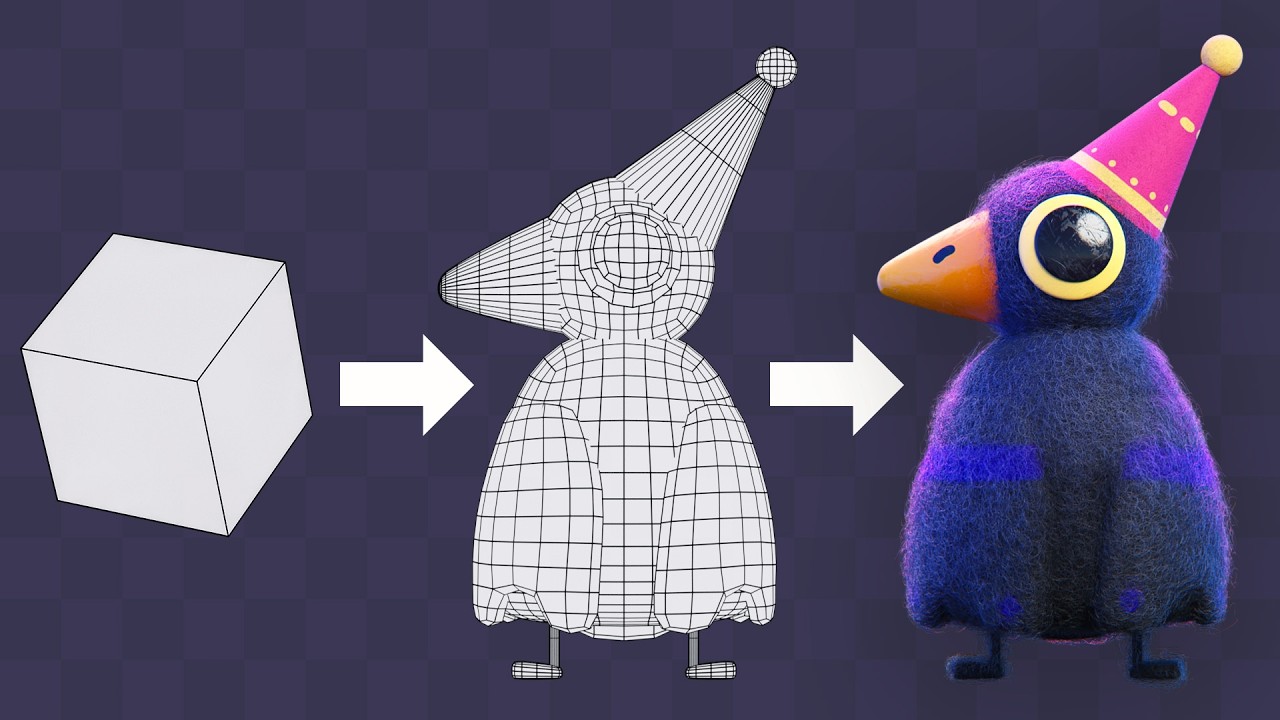
If you’ve ever wanted to make your own 3D character in Blender but didn’t know where to start, this beginner-friendly tutorial walks you through the entire process step by step.
We’ll keep things simple, readable, and approachable while building a stylized character from basic shapes into a finished model.
In This Video You’ll Learn:
• How to block out a simple character body
• How to model using beginner-friendly shapes
• How to create clean proportions without getting overwhelmed
• How to add simple arms, legs, head, and facial features
• How to use modifiers like Mirror and Subdivision Surface
• Basic topology tips for smoother character modeling
• How to add simple materials and lighting for a finished render
Why This Matters
Character modeling can feel intimidating, but your first character doesn’t need to be complicated. This tutorial focuses on the core workflow so you can actually finish a model and understand the process.
Perfect for absolute beginners, stylized artists, animators, game asset creators, and anyone learning Blender 3D.
Tools Used
• Blender 3D
• Mirror Modifier
• Subdivision Surface
• Basic Modeling Tools
00:00 – What You’ll Be Building (And What You Should Know First)
00:31 – Setting Up Your Reference the Right Way
01:30 – Blocking Out the Core Shape
02:40 – A Simple Trick for Clean Wings
06:32 – Fixing Shape Issues as You Go
08:23 – Building the Head, Eyes, and Expression
12:06 – Modeling the Hat and Beak (Easier Than It Looks)
16:14 – Simple Legs That Still Look Stylized
18:36 – Getting Everything Ready for Texturing
20:13 – Fast UVs and Base Colors
24:23 – Adding Extra Detail Without Overcomplicating
26:32 – Materials That Make It Feel Real
30:03 – Lighting Tricks That Bring It All Together
32:23 – Final Touches + What to Do Next
MoGraph Toolbox: https://superhivemarket.com/products/blender-mograph-toolbox?ref=434
Dynamic VFX Pack (Free Sample Pack): https://blendermarket.com/products/blender-dynamic-vfx---elemental-asset-pack?ref=434
Crafty Asset Pack (Free Sample Pack): https://blendermarket.com/products/crafty-asset-pack?ref=434
Patreon: https://www.patreon.com/southernshotty
Skillshare: https://www.skillshare.com/r/user/southernshotty
Free Sketch Reference: https://www.patreon.com/posts/free-crow-sketch-156442330?utm_medium=clipboard_copy&utm_source=copyLink&utm_campaign=postshare_creator&utm_content=join_link
Basics: https://www.youtube.com/playlist?list=PLa1F2ddGya_-UvuAqHAksYnB0qL9yWDO6
Fuzzy Tutorial: https://youtu.be/Jr7UaL7tMMw
Lighting Basics: https://youtu.be/G4GKLFfVaQc
-----------------------------------------------------------------------------------------------------------
Tag me in your artwork on Instagram and Twitter @SouthernShotty
Instagram: https://www.instagram.com/southernshotty/
Twitter: https://twitter.com/SouthernShotty
-----------------------------------------------------------------------------------------------------------
Model Your First Character in Blender 3D — Step-by-Step Tutorial
If you’ve ever wanted to make your own 3D character in Blender but didn’t know where to start, this beginner-friendly tutorial walks you through the entire process step by step.
We’ll keep things simple, readable, and approachable while building a stylized character from basic shapes into a finished model.
In This Video You’ll Learn:
• How to block out a simple character body
• How to model using beginner-friendly shapes
• How to create clean proportions without getting overwhelmed
• How to add simple arms, legs, head, and facial features
• How to use modifiers like Mirror and Subdivision Surface
• Basic topology tips for smoother character modeling
• How to add simple materials and lighting for a finished render
Why This Matters
Character modeling can feel intimidating, but your first character doesn’t need to be complicated. This tutorial focuses on the core workflow so you can actually finish a model and understand the process.
Perfect for absolute beginners, stylized artists, animators, game asset creators, and anyone learning Blender 3D.
Tools Used
• Blender 3D
• Mirror Modifier
• Subdivision Surface
• Basic Modeling Tools
00:00 – What You’ll Be Building (And What You Should Know First)
00:31 – Setting Up Your Reference the Right Way
01:30 – Blocking Out the Core Shape
02:40 – A Simple Trick for Clean Wings
06:32 – Fixing Shape Issues as You Go
08:23 – Building the Head, Eyes, and Expression
12:06 – Modeling the Hat and Beak (Easier Than It Looks)
16:14 – Simple Legs That Still Look Stylized
18:36 – Getting Everything Ready for Texturing
20:13 – Fast UVs and Base Colors
24:23 – Adding Extra Detail Without Overcomplicating
26:32 – Materials That Make It Feel Real
30:03 – Lighting Tricks That Bring It All Together
32:23 – Final Touches + What to Do Next

SouthernShotty
Learn all things Blender 3D with a focus on characters, animation, rigging, and motion graphics!...